Because Status Matters!
A clean, modern status page for your services, incidents and uptime — self-host it for free today. A fully-managed option, SuperStatus Cloud, is coming soon. No lock-in, no per-seat surprises.
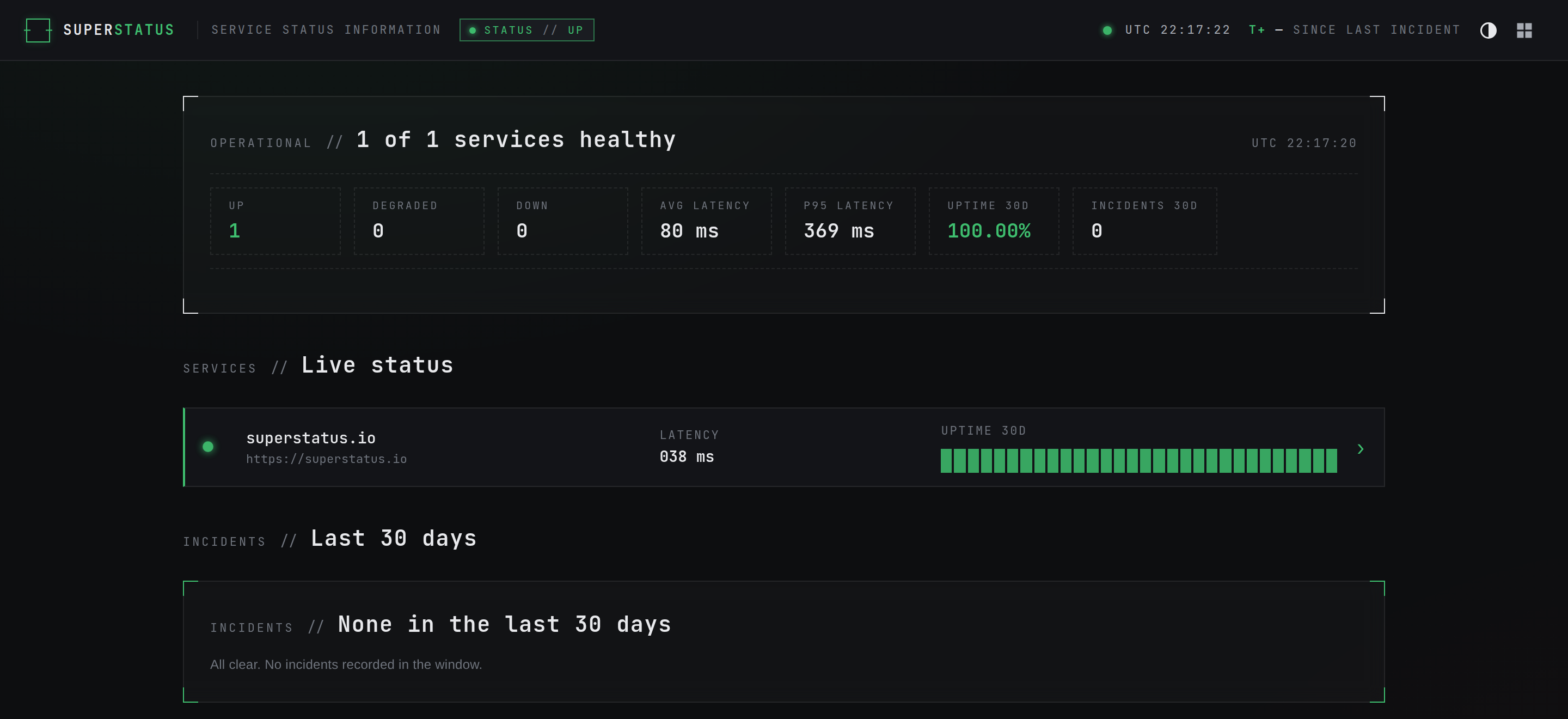
Every kind of check
HTTP, TCP and keyword probes plus AI/LLM canaries against any OpenAI-compatible endpoint (time-to-first-token and throughput) — each on its own schedule, with 30-day history strips per service.
Alerts anywhere
Notify Slack, Discord, Telegram, email or any webhook — routed through per-check alert profiles, with recovery notices and optional auto-incidents.
SLAs & targets
Set uptime targets and slow-response thresholds per service; they drive the day colours and the 30-day uptime you publish.
Incident timeline
Post incidents, track severity and resolution, and keep a public, honest history.
Modern look & feel
A clean, modern interface that's easy to read at a glance — looks and feels the part, not another bland dashboard.
Self-hostable
One container stack, Docker-compose ready. Run it on your own infrastructure, free — source-available under the BSL.
One-click updates
Update straight from the console — one click, or a nightly schedule — with no server access. No SSH, no docker compose pull.
No lock-in
Your data, your domain. Source-available — export and walk away whenever you like.
Light & dark
Follows the viewer's system theme; the status colours stay load-bearing on both.
Run it yourself
- Your infrastructure, your rules
- Docker-compose, up in minutes
- Full source, unlimited checks
- One-click updates from the console
- Free, forever
Let us run it · coming soon
- We host, patch and update it
- Daily backups + TLS + custom domain
- No ops on your side
- Launching soon — join the waitlist
Run the installer
On any host with Docker and the Compose plugin, run:
curl -fsSL https://superstatus.superstatus.io/install.sh | sh
It pulls the latest release images, generates secrets, and brings the stack
up on plain HTTP over your LAN. When it finishes, open the printed
http://<your-server-ip>:8080 and create your admin account.
- No build, no source checkout — prebuilt images, up in minutes
- Update from the console — one click, or a nightly schedule, no server access
- Internet-facing? Put it behind a TLS reverse proxy first
- Your infrastructure
- Unlimited checks
- Full source code
- Community support
- Everything in self-host
- We host & update it
- Daily backups
- TLS + custom domain
- Email support
- Everything in Cloud
- Managed AI — incident drafts & summaries we run for you
- Worldwide monitoring — agents ping from many regions, not one
- More checks, history & team seats
- Priority support
Is SuperStatus really free?
Yes — self-hosting is free, forever, with the full source available under the BSL. A fully-managed option, SuperStatus Cloud, is coming soon for people who'd rather not run it themselves.
What do I need to run it?
A Linux host with Docker and the Compose plugin — the installer can set Docker up for you if it's missing. It runs the whole stack on plain HTTP over your LAN out of the box; no domain or TLS required to get started.
How do I install it?
One line on any Docker host:
curl -fsSL https://superstatus.superstatus.io/install.sh | shIt pulls the latest release, generates secrets, and starts the stack. See Quick start for details.
How do I update to the latest version?
From the operator console's Updates panel, click Update now — or turn on the nightly auto-update. No SSH, no server access.
Prefer the command line? From your install directory you can still pull and restart:
docker compose pull && docker compose up -dYour data in the pgdata volume is preserved across updates.
How do I uninstall it?
One line — the counterpart to the installer:
curl -fsSL https://superstatus.superstatus.io/uninstall.sh | sh
It removes the containers, the database volume, the network, the images and the install files —
after asking you to confirm, since it deletes your data. Prefer to do it by hand? From the install
directory, docker compose down -v (the -v is what wipes the database).
Either way, Docker itself is left installed.
Can I use my own domain and put it on the internet?
Yes. The LAN default is plain HTTP for a trusted network; to expose it publicly, front it with a TLS reverse proxy (nginx, Caddy, Traefik…) terminating HTTPS for your domain. The self-hosting guide walks through it.
Where's my data, and how do I back it up?
Everything lives in the pgdata Docker volume. Back it up with
docker compose exec postgres pg_dumpall. It's your data on your infrastructure —
source-available, no lock-in, export and walk away whenever you like.
How do I get help or report a bug?
Open an issue on GitHub. For the managed tiers, email hello@superstatus.io.